Pick a repository.
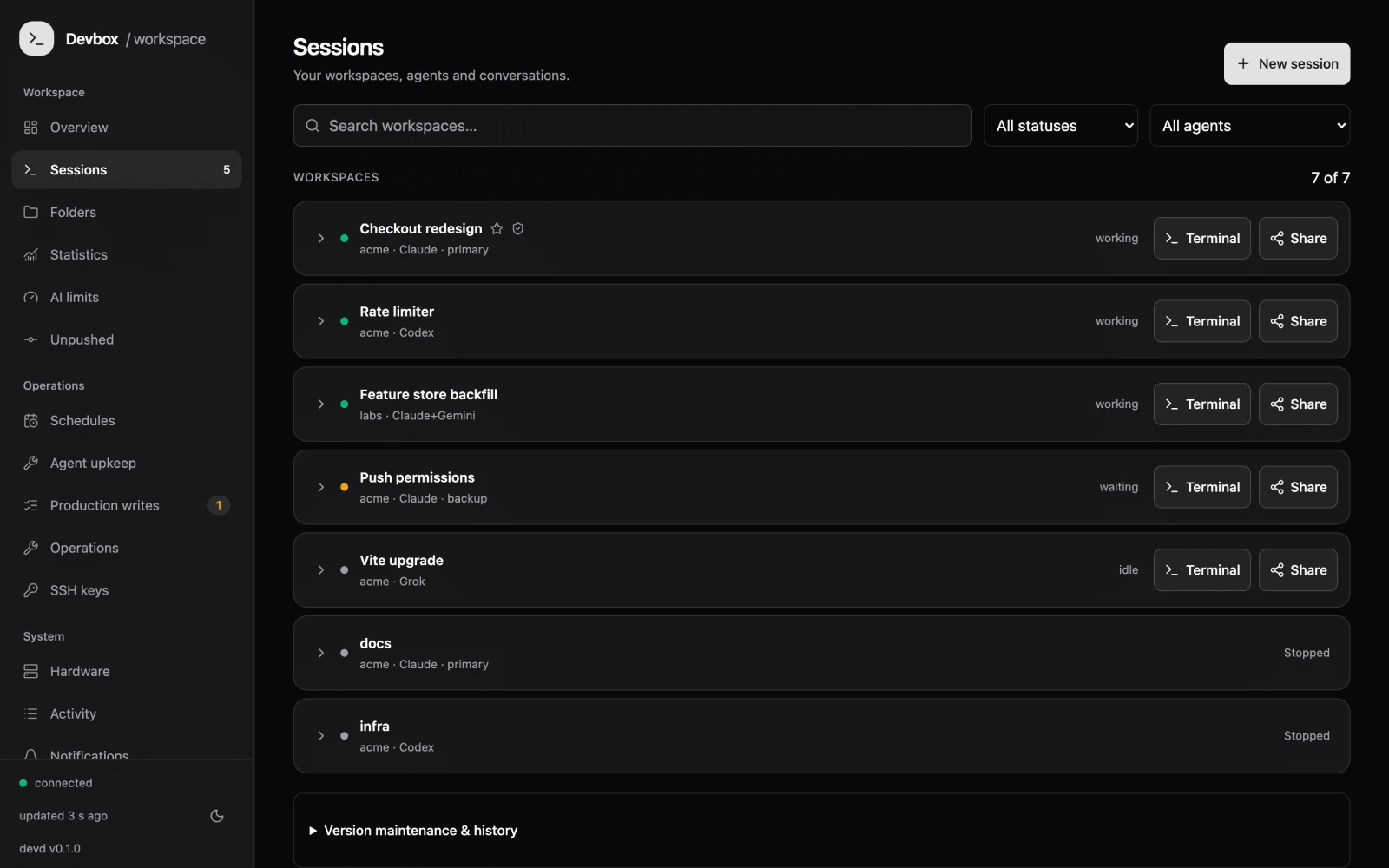
One command creates a container, a worktree and a branch. Your next idea gets its own space.
$ dev acme/web ▍
 devbox/your remote workshopView on GitHub ↗
Run Claude Code, Codex and Grok on your own server. A separate workspace for every idea. Your Mac, browser and phone keep you in the loop.
Create a workspace. Give an agent a task.
Make the call when it asks for access.
Demo request: read-only SSH access to staging, to inspect the app configuration.
Workspace ready. Your agent is waiting for a task.
Local simulation. No server, agent account or SSH connection is used.
Long refactors. Parallel ideas. Tests that run for hours. Give every agent a workspace on a machine that keeps going.
One command creates a container, a worktree and a branch. Your next idea gets its own space.
Run Claude, Codex or Grok in tmux. Build and test with a private Docker daemon and mapped ports.
Get the question, approval request or finished result on your Mac or phone. Reconnect to the same conversation.
devboxThe little things make remote development feel right. Your files, browser, clipboard and terminal stay connected.
Run open in your container. The listener maps the remote path to your mounted workspace and opens it on your Mac.
open design.pdfRequires the Mac listener, path mappings and the SMB workspace mount.
Container commands open remote files in native Mac apps and dev servers in your browser.
SMB mounts put server files alongside local ones. Browse, edit and drag files with familiar tools.
Send clipboard screenshots to your agent, or copy a file in Finder and press ⌘⇧V to stage it remotely.
Review access requests, inspect usage and see what is happening across your workspace. Sensitive actions have a human in the loop.
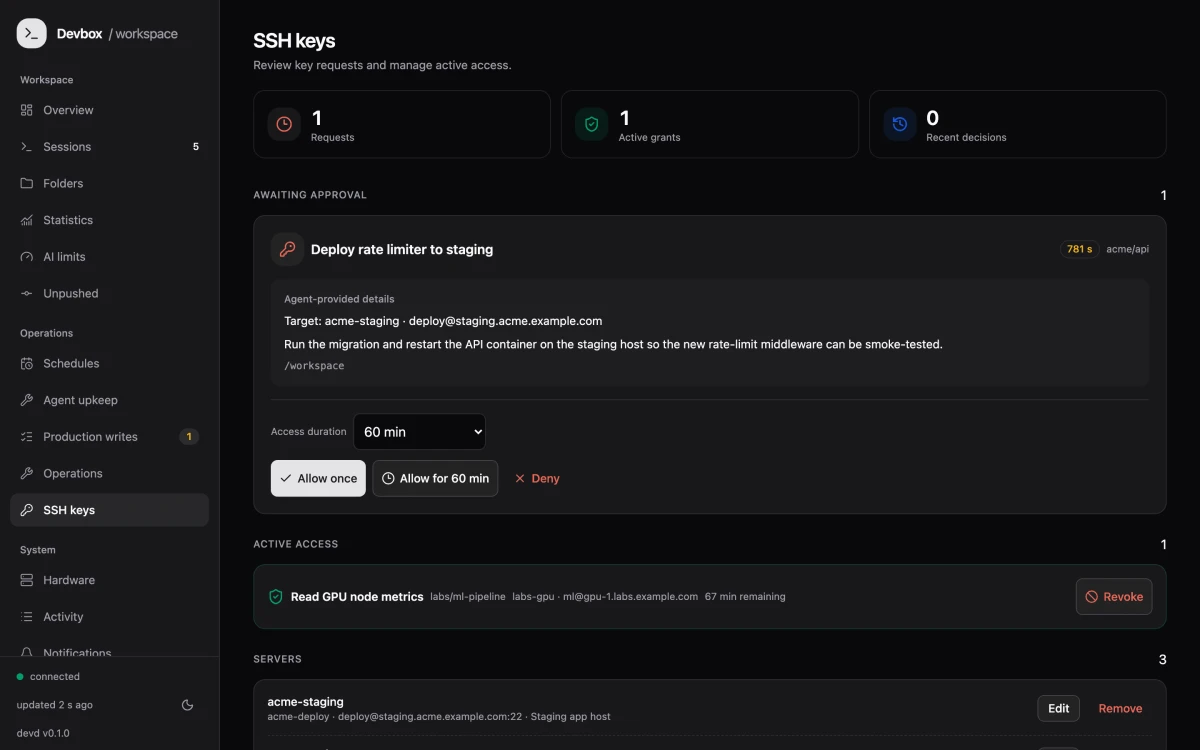
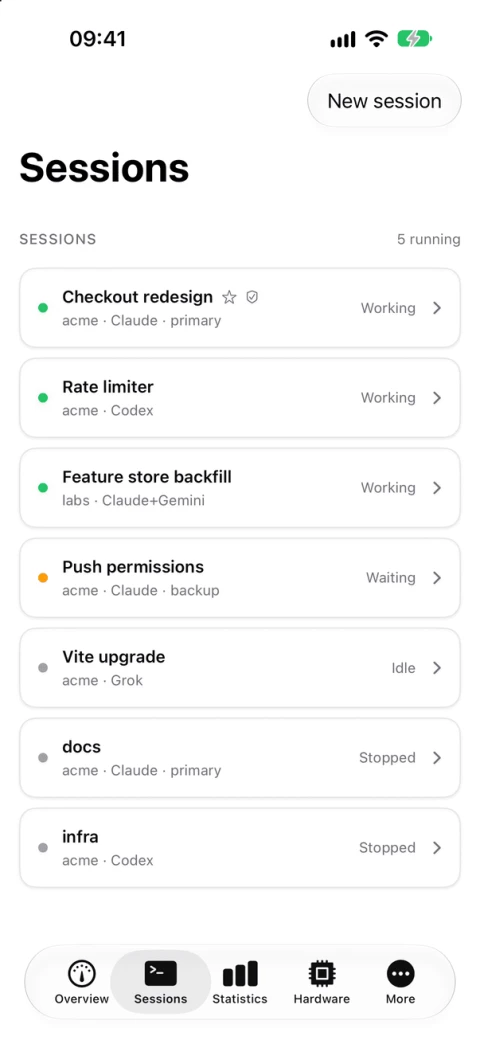
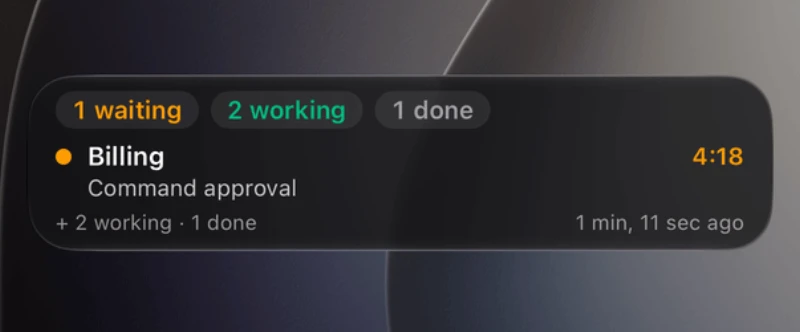
See what’s working. Answer an SSH request. Approve a production write. A native iOS companion keeps the important moments close.
Self-built with your Apple developer account.
Not currently distributed through the App Store.
Pick what matters to you. Explore the practical details. Everything here maps to a real devbox capability.
A Docker container, git worktree, branch and port range for each session. Work on the same repository in parallel.
Run Claude Code, Codex CLI, Grok Build and Antigravity. Claude profiles also support GPT, Grok, Gemini subscription proxies and OpenRouter API models.
Docker-in-Docker sidecars let agents build images and run services inside their own session.
Agents run in tmux. Disconnect, close your laptop and attach again where you left off.
Provision MCP servers, shared configuration, skills and plugins. The session image includes headless Chromium/Playwright and code tooling.
Browse a persistent project and conversation catalog without waking sessions. Explicitly continue in the original environment. Requires the custom server build; shell !commands are not routed.
Enable a separate critic to review an agent turn before completion is announced. Inspect its findings and review outcomes.
Change the harness or switch accounts in a running session, with conversation resumption where supported.
Configure Claude and Codex accounts, project pinning, preferences, quota thresholds and rotation. Opt-in; provider terms apply.
Start, attach, name, stop, resume and end sessions. Use scratch workspaces, recent targets, host selection, zsh completion and dev doctor.
Discover GitHub and Gitea repositories, browse project folders and follow clone progress. Inspect commits, push branches or push and create a pull request.
Run open inside a container to open a file in its native Mac app. The listener maps server paths to your mounted workspace.
Run preview from the devbox to open a development server in your Mac browser, with the session’s port mapping.
Mount the workspace at /Volumes/dev. Browse, edit and move remote files in Finder; automount reconnects at login and network changes.
Paste a Mac screenshot into Claude Code, Codex or Grok. The clipboard bridge delivers the image to the remote agent.
Copy a file in Finder and paste it into the session’s shared /inbox. Larger files can go through the SMB mount.
Get notified when an agent finishes, needs an answer or permission, or gets stuck. Click through to the relevant Warp tab.
See working, waiting and done states in terminal tabs. Restore exact sessions after Warp or macOS restarts.
Install the listener as a LaunchAgent, configure path mappings and use dev doctor to check the connection.
Optional Xcode MCP and mac-sync bridges let remote agents work with Xcode on your Mac. An OpenDesign bridge connects to its installed Mac runtime. Operations require the target Mac online and approved SSH.
Optionally include local Claude usage in the same statistics, with host filtering and project attribution where available.
Watch or take over a running session in your browser. Start sessions and manage workspaces from the same place.
Inspect plan usage by account, estimated costs, tokens and active time by project, with historical statistics.
Set up cron prompts to run recurring agent work. Review and manage schedules in the dashboard.
Find branches and sessions with local changes or commits that have not reached the remote.
Give a guest revocable, time-limited access to a live terminal and development-server previews, without access to your tailnet.
Review notifications, activity, agent upkeep, account settings and host health without changing tools. Inspect notification decision history and send feedback on wrong or missing alerts.
Inspect quota windows and reset times, connect provider accounts, configure models and context windows, and edit service settings.
Inspect CPU, RAM, disk, network, uptime and backup health. Manual backup, update and reboot actions include confirmation flows.
View sessions, inspect what is running and manage approvals from an iPhone. Build the app with your Apple developer account; push and Live Activities require APNs setup.
Keep working, waiting and finished sessions visible on the Lock Screen and Dynamic Island.
Approve or reject SSH requests and production database writes from the phone. Unlock the host vault from the app.
Use APNs or Pushover for phone notifications. Mark a session important when it needs a louder alert.
Connect over Tailscale, or configure Cloudflare Tunnel and Access for access outside the tailnet.
Browse overview, statistics, AI limits, hardware, folders and activity. Inspect terminal/session actions and run, toggle or delete schedules; create and edit schedules on the web.
Store secrets in an encrypted vault on the host and unlock it through the dashboard or iOS app. A control-plane restart locks the vault while sessions continue; iOS can alert you to unlock it.
Agents request SSH access with a reason. A human approves; the session gets an ssh-agent socket instead of a private key file.
SSH approvals can be time-limited. Review and revoke active grants in the dashboard.
Route production database access through a host proxy, with a separate approval step for writes.
The control plane binds to the Tailscale network. Optional Cloudflare Access provides another authenticated route.
Read the security model and deployment guidance before connecting sensitive systems or credentials.
Configure read, DML and migration scopes. Preview SQL impact without executing it, approve exact writes and inspect their audit/results. PostgreSQL and MariaDB have engine-specific setup paths.
Prepare access plans, inspect preflight checks and approve resumable setup operations while database credentials remain host-side.
Run configured Coolify deployments, optionally pin an exact commit, or sequence a deploy after an approved successful database write. Supported application restarts require approval.
Run the control plane on Ubuntu, with Bun, SQLite and Docker. Your repositories and infrastructure stay under your control.
Start fresh agents on rented InstaBox VMs, with a remote desktop/browser and pause/resume controls. Paid optional capacity; VPS-only integrations and session migration are not available.
Nightly Claude maintenance supports safe pane restarts and conversation resume. Provider-specific controls manage other runtimes; Antigravity updates with the session image.
Use the included automation to deploy main after successful CI. Configure it for your own installation.
Set per-session memory limits and inspect machines, storage and resource history in the dashboard.
Borg backups and CLI backup/restore support recovery of volumes, secrets and the database.
Recovery-verified storage cleanup and monitoring help keep the host maintainable.
Optional external monitoring and a watchdog can detect control-plane outages. Integrates with Beszel and Uptime Kuma.
The optional CI deployment workflow includes post-deploy health checks and rollback. Configure monitoring and backup targets for your own host.
Optional memory/OOM guards, disk budgets and cleanup that requires verified offsite archives support recovery-conscious maintenance.
Open source under Apache 2.0. Bring a VPS and the agent accounts you already use.
Choose your starting point. Copy a tailored prompt into your coding agent. It will inspect your environment and work from the real install guides.
This page only prepares text. Setup begins in the agent where you paste the prompt.
Ready to make it yours.No. devbox runs on infrastructure you operate. You manage the server, accounts and optional integrations. There is no devbox subscription; your server and provider costs still apply.
The dashboard works in any browser on your tailnet. The CLI, native notifications, clipboard bridge, SMB automount and open/preview integration are designed for macOS.
Yes. Each session gets its own git worktree, branch, container and port range. Review and integrate their changes through your usual Git workflow.
Read the security model. devbox provides access controls, but agents execute code on your infrastructure. Account pooling is optional and subject to your providers’ terms.